

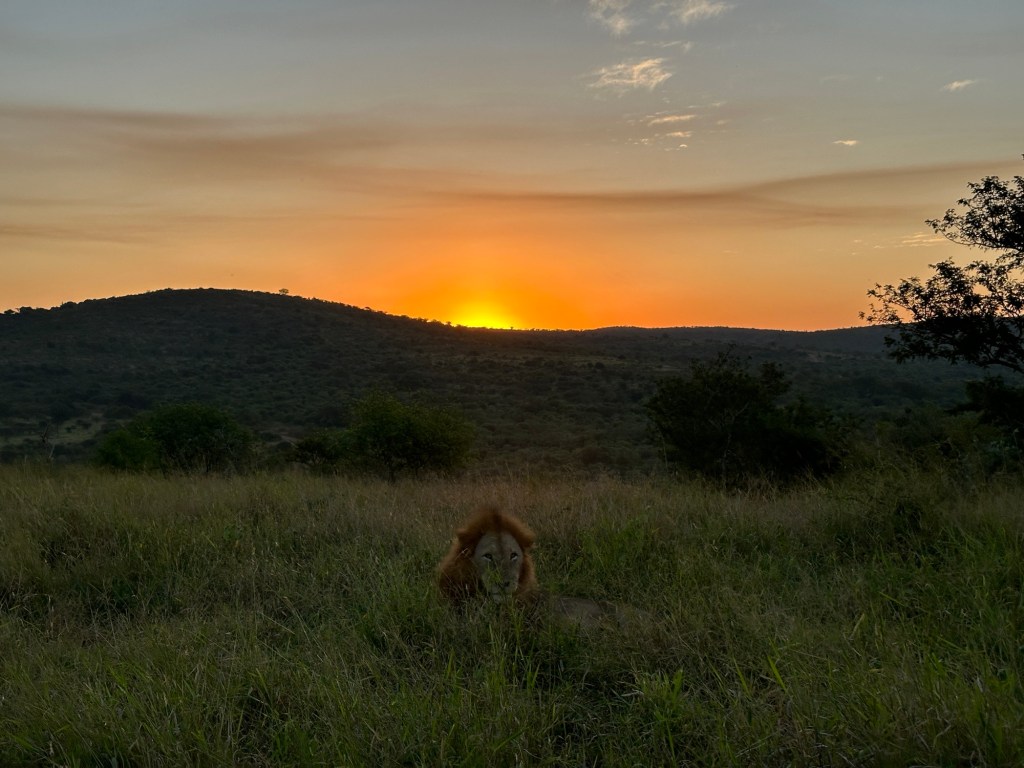
When I sent this picture (which I took this evening on my way home) to a friend, he responded with ‘this is Photoshop, isn’t it’.
Well, the answer is that it is not! Our dominant male lion raised his head from sleeping just as the sun had set. I was in the right place at the right time!
This picture was taken with my iPhone 14 Pro Max and was edited with the standard iPhone tools.
Here are the steps taken:
1 – The picture was first cropped to 9:16 (portrait).
Steps: Photos, Select Picture, Edit, Crop, Pre-Sets, 9:16, Portrait, Zoom In, Done.
2 – Then the shadows were brightened as much as possible.
Steps: Photos, Select Picture, Edit, Adjust, Shadows, +100, Done.
3 – A slight vignette (darken the ‘frame’) was then added.
Steps: Photos, Select Picture, Edit, Adjust, Vignette, +10(black), Fine.
I have also posted the original image so you can see the difference to the edited version.
Technical data: Apple 14 Pro Max | Main Camera 24mm | ISO 64 | 1/350sec | f1.8 | ev+0 | 48mm
#amazingwildlife #africansafari #safarigetaway #christiansperkaphotography #thandasafari #big5 #gamereserve #wildlifephotography #learnphotography
 Christian Sperka Photography | Custom Luxury Tours